
The TradingView Pro Signal Indicator: Trend & Volume Analysis for Binary Options
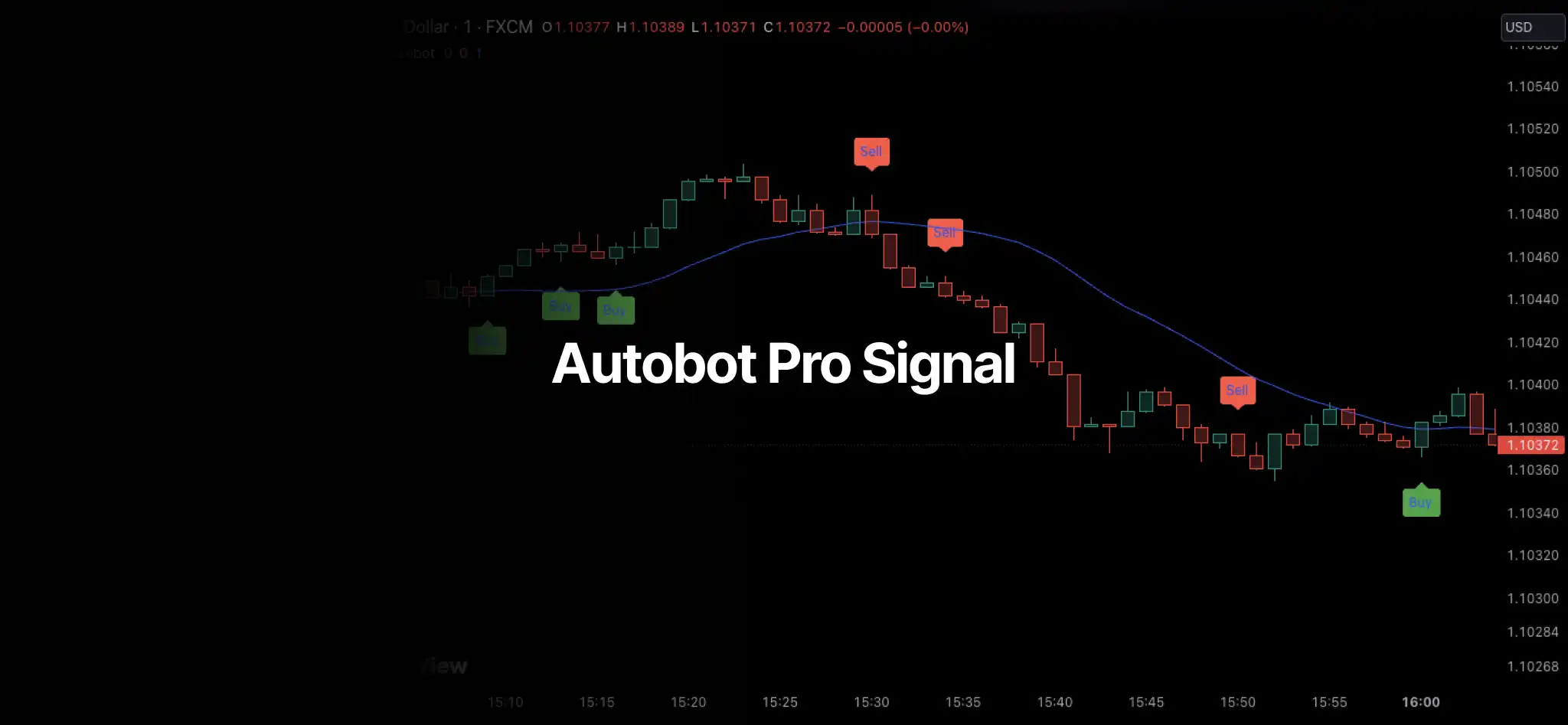
Successful trading, especially in the fast-paced world of binary options, hinges on identifying high-probability setups. The Pro Signal indicator for TradingView’s Pine Script is one such tool — combining trend analysis, volume-surge detection and MACD signals into a single, well-rounded approach.
Understanding the TradingView Pro Signal Indicator
At its core, the Pro Signal Indicator aims to flag significant market moves when several conditions align:
- Volume Spike: the indicator looks for substantial increases (buy signal) or decreases (sell signal) in volume, suggesting a strong shift in market sentiment.
- MACD Crossover: the MACD (Moving Average Convergence Divergence) lines confirm the direction of a potential trend. A bullish crossover (MACD line crossing above the signal line) supports a buy; a bearish crossover supports a sell.
- Trendline: a simple moving average (SMA) acts as a trendline. Price above the trendline reinforces a buy signal; price below it reinforces a sell.
- Volatility Check: low-volatility periods are filtered out so you aren’t misled by small movements in a range-bound market.
Interpreting the Signals and Alerts
- Visual Signals: the indicator plots green Buy labels below the price chart and red Sell labels above it whenever the designated conditions are met.
- Alerts: TradingView alerts fire with Buy Alert and Sell Alert messages. These are invaluable for traders who want to be notified — or to trigger automation — the moment a setup appears.
To add it: find the “Pro Signal by Autobot” indicator in the TradingView Public Library, or add it using the provided Pine Script code. Apply it to your desired chart and timeframe, then customize the input parameters to match your trading style and risk tolerance. It’s worth experimenting with different settings to find what suits you.
Using the Indicator in Your Trading Strategy
The Pro Signal indicator should not be your sole source of trade signals. It works best as one component of a broader strategy:
- Confirmation: use other indicators (RSI, Bollinger Bands, etc.) alongside Pro Signal to strengthen your conviction about a setup.
- Risk Management: always employ proper risk management — position sizing, daily limits and stop conditions.
- Customization: adjust the indicator’s inputs to fit your preferred timeframe and traded assets.
Important: The Pro Signal indicator helps identify potential setups, but past performance is not indicative of future results. Combine it with sound analysis and disciplined risk management.
Watch the walkthrough
Automate It with AutobotSignal
Pair the Pro Signal alerts with the AutobotSignal desktop app and its Buy/Sell alerts can execute automatically across your connected broker.
Download the AutobotSignal desktop app
Questions or ideas for combining this indicator with other tools? Reach us at support@autobotsignal.io.